







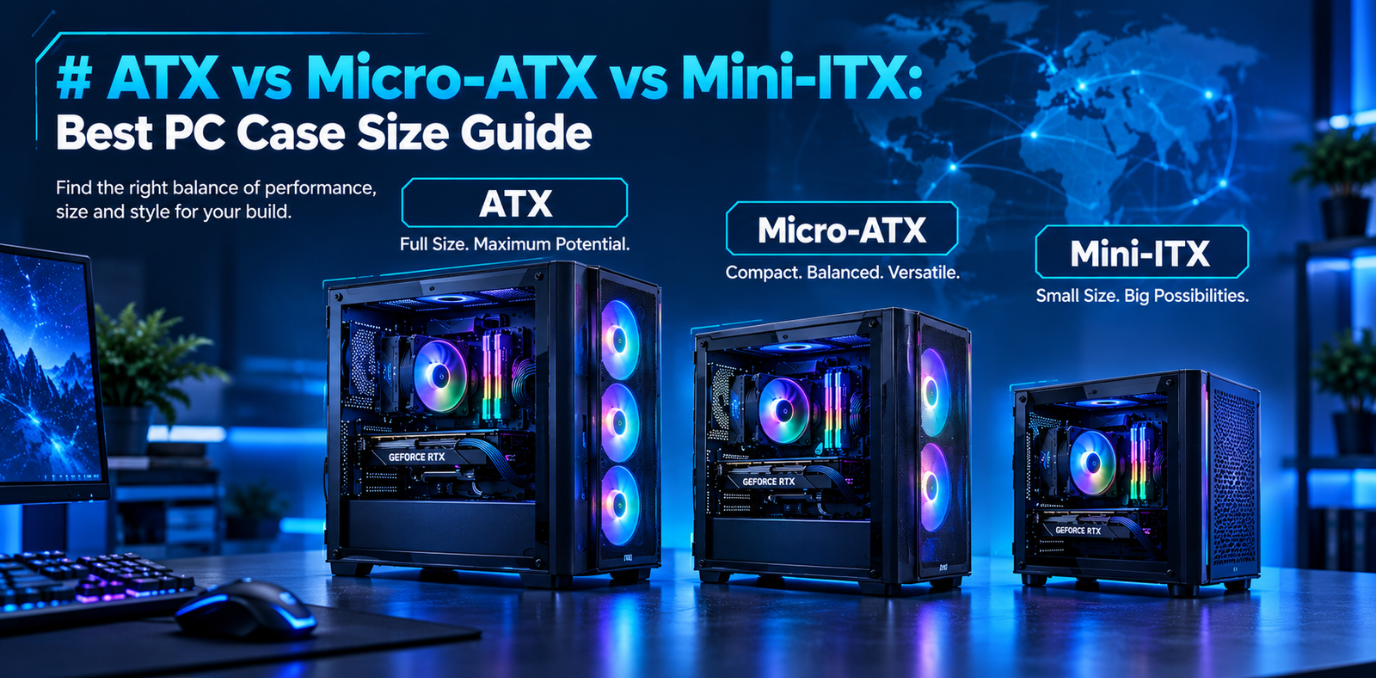

Building a desktop PC starts with choosing components that fit your performance needs, budget and available space. One important decision is selecting the right motherboard form factor because it affects which PC cases you can use, how many expansion slots are available and how easily you can upgrade your system.
ATX, Micro-ATX and Mini-ITX are three popular motherboard sizes. Each offers different advantages, whether you are building a gaming PC, a home workstation or a compact desktop setup.
What Is a Motherboard Form Factor?
A motherboard form factor describes its physical dimensions and mounting layout. It helps determine which computer cases can accommodate the board and how much room is available for expansion.
The three common options differ in size:
- ATX: 305 × 244 mm
- Micro-ATX: Up to 244 × 244 mm
- Mini-ITX: 170 × 170 mm
These dimensions help builders identify compatible cases before purchasing components. However, the motherboard's size alone does not determine processing speed or gaming performance. The chipset, processor compatibility, cooling design and other specifications also matter.
1. ATX: Best for Expandability and Larger Builds
An ATX motherboard is a popular choice for gaming PCs, enthusiast systems and workstations that need room for additional components.
Its larger layout generally provides more expansion slots and space for features such as extra storage connections, depending on the model. This can be useful for users who want to install a dedicated graphics card, capture card, additional networking hardware or other expansion devices.
ATX boards are commonly paired with mid-tower and full-tower cases. These cases can offer more room for cable management, cooling equipment and larger graphics cards, although actual compatibility depends on the specific case.
Advantages:
- More room for expansion cards on many models
- Broad selection of cases and compatible components
- Convenient access to components during assembly
- Suitable for gaming and workstation configurations
Best for: Enthusiasts, gamers planning future upgrades and users who need multiple expansion options.
2. Micro-ATX: The Balance Between Size and Flexibility
A micro ATX motherboard offers a middle ground between a full-size desktop board and a very compact system. Its smaller dimensions make it suitable for compact cases while retaining enough room for many mainstream gaming and office configurations.
Depending on the model, Micro-ATX boards can provide multiple RAM slots, storage connections and expansion options. For a typical gaming PC with one graphics card and an SSD, this form factor may provide everything the user needs without requiring a larger case.
Micro-ATX motherboards can fit in compatible Micro-ATX cases and most standard ATX cases. This gives builders flexibility when choosing the overall system size. <Cite refs={["turn380383search1","turn380383search6"]}/>
Advantages:
- Smaller footprint than standard ATX
- Suitable for many budget and mid-range PC builds
- Can support capable gaming hardware
- Compatible with a range of compact and larger cases
Best for: Budget-conscious gamers, home users and people who want a compact PC with useful upgrade options.
3. Mini-ITX: Best for Compact PC Builds
A mini ITX motherboard measures 170 × 170 mm, making it the smallest of these three standard form factors. It is designed for small-form-factor systems where saving space is a priority.
Mini-ITX systems can be useful for living rooms, small desks and portable desktop setups. Despite their compact dimensions, they can support powerful processors and graphics cards when the selected motherboard, case and cooling system are compatible.
However, the smaller layout generally means fewer expansion slots and typically two RAM slots. Component installation can also require more careful planning because space for cooling equipment, cables and storage may be limited.
Advantages:
- Excellent for space-saving desktop builds
- Compact and minimalist appearance
- Suitable for selected gaming and home entertainment systems
- Can deliver strong performance with compatible components
Best for: Small-space gaming setups, compact workstations and users who prioritize portability.
ATX vs Micro-ATX vs Mini-ITX: Key Differences
|
Feature |
ATX |
Micro-ATX |
Mini-ITX |
|
Board dimensions |
305 × 244 mm |
Up to 244 × 244 mm |
170 × 170 mm |
|
Typical case |
Mid-tower or full-tower |
Compact or mid-tower |
Small-form-factor case |
|
Expansion options |
Generally the most |
Moderate |
Usually one expansion-card position |
|
Memory slots |
Commonly four |
Usually two or four |
Usually two |
|
Space requirements |
Higher |
Moderate |
Lowest |
|
Ideal use |
Expandable gaming and workstation PCs |
Mainstream gaming and everyday computing |
Compact desktop systems |
Specifications vary between motherboard models, so always check the manufacturer's documentation before purchasing.
How to Choose the Right PC Case Size
Selecting a motherboard is only part of the process. The case must also accommodate your graphics card, CPU cooler, power supply and storage devices.
Before buying, consider these factors:
Available space: Measure the desk area or location where the computer will sit. A smaller case may be preferable for a bedroom or compact home office.
Graphics card clearance: Check the maximum supported GPU length and thickness. A powerful graphics card may not fit in every compact case.
Cooling and airflow: Ensure the case supports adequate fans or radiators for your processor and graphics card.
Future upgrades: If you expect to add expansion cards or storage drives, choose a board and case with enough room for those additions.
Budget: Consider the combined cost of the motherboard, case and cooling components rather than comparing the motherboard price alone.
Which Form Factor Is Best for Gaming?
For a gaming PC with several expansion devices and room for future upgrades, ATX can be a sensible choice. It offers flexibility for users who want to build a larger system.
Micro-ATX is worth considering for a more compact gaming PC that uses one graphics card and a conventional storage setup. It can provide a useful balance between system size and hardware flexibility.
Mini-ITX is ideal when a small footprint is the main priority. However, builders should carefully check cooling capacity, graphics card dimensions and component compatibility before assembling a compact system.
No form factor automatically delivers better gaming performance. The processor, graphics card, memory and cooling configuration have a greater direct impact on how games run.
How Tiitan Fits into the PC Hardware Ecosystem
Tiitan provides technology products and business-focused sourcing solutions for IT and electronics requirements. Businesses, system integrators and other buyers can explore its portfolio and contact the company to discuss product availability and procurement needs.
When planning a PC build, buyers should verify motherboard specifications, compatible processors, supported memory, case dimensions and cooling requirements before ordering components. Tiitan's team can be contacted to discuss relevant sourcing requirements and available products.
Final Checklist Before Buying
- Confirm that the case supports your chosen motherboard size.
- Check processor socket and chipset compatibility.
- Verify memory slots and supported RAM type.
- Measure graphics card and CPU cooler clearance.
- Review storage connections and expansion slots.
- Plan airflow, cable management and power supply requirements.
- Consider future upgrades before finalizing your build.
FAQ
Q1. Which motherboard size is best for most gaming PCs?
Micro-ATX is a practical choice for many mainstream gaming systems, while ATX suits builds that need more expansion space. Mini-ITX is best when compact dimensions are the priority.
Q2. Can a Micro-ATX motherboard fit in an ATX case?
Yes. Most standard ATX cases support Micro-ATX motherboards, but always confirm the case specifications.
Q3. Is Mini-ITX slower than ATX?
No. Physical size does not automatically determine performance. Actual performance depends on the components and the motherboard's specifications.
Q4. Does a smaller PC case affect cooling?
It can. Smaller cases may have less room for fans and larger coolers, so airflow and component clearance need careful planning.
Q5. Which form factor is usually more affordable?
Micro-ATX often provides good value for mainstream builds. However, the total cost depends on the motherboard, case, cooling and other components selected.