







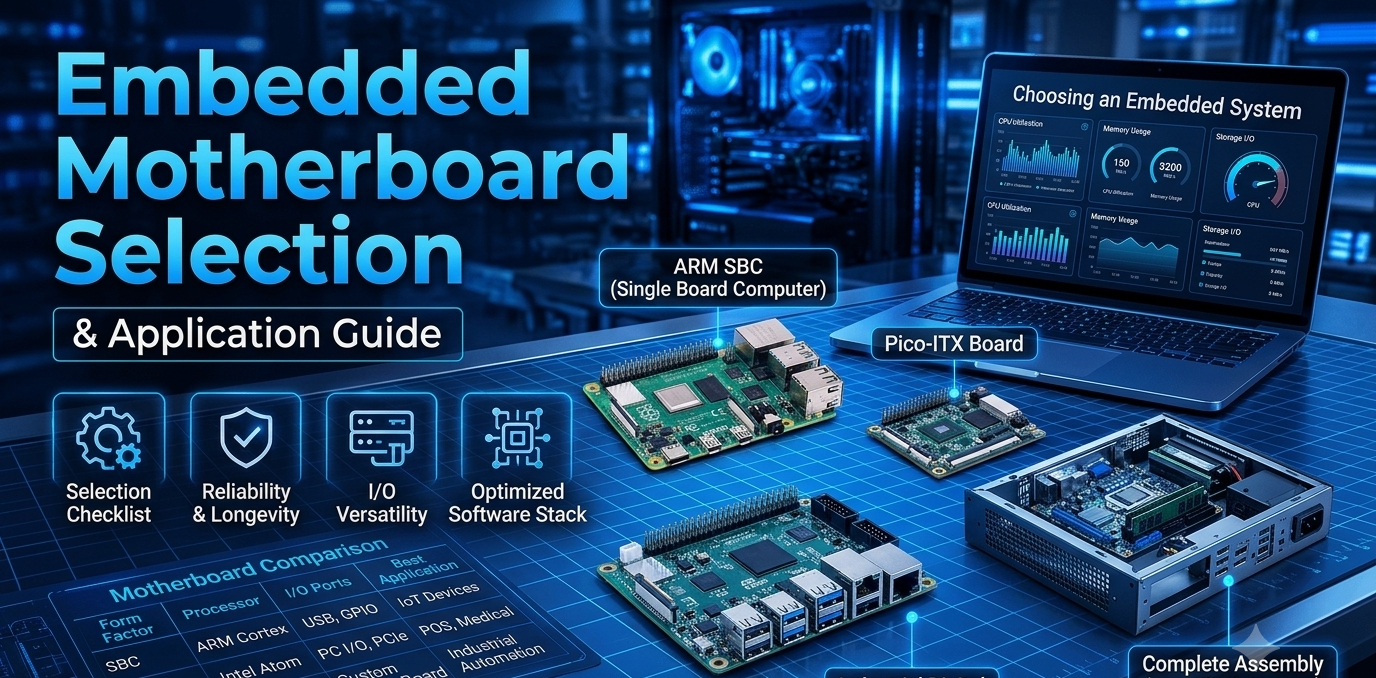

Embedded computers work quietly inside point-of-sale counters, kiosks, digital signage, factory equipment and network gateways. Unlike a home PC, they often run for years without a hardware change, in tight enclosures and with limited support. Choosing the right motherboard for embedded systems is therefore one of the most important decisions in the whole project, because it sets performance, power draw, connectivity and how long the product can stay in the field.
This guide explains what to check before you buy and which applications suit which type of board.
How Embedded Boards Differ from Consumer Boards
Consumer boards are designed around upgrades and peak performance. Embedded boards are designed around stability and fit. Buyers usually care about:
- Compact size and flexible mounting
- Low power consumption and simple power input
- Reliable operation over long duty cycles
- The right mix of ports, display outputs and networking
- Long-term availability, so that a design can be repeated in volume
Key Factors When Selecting an Embedded Board
1. Form factor
Form factor decides the enclosure, cooling and expansion options.
- A full-size ATX motherboard measures 305 × 244 mm and offers the most expansion slots, which suits workstations and heavy industrial PCs.
- A micro ATX motherboard measures up to 244 × 244 mm and balances expansion with a smaller footprint, which is common in commercial and office systems.
- A mini ITX motherboard measures 170 × 170 mm and is the usual choice when space is tight, as in compact appliances, kiosks and mini PCs.
2. Processor platform
Low-power processors such as the Intel N95 or the AMD Ryzen 5 7430U suit always-on, thermally limited devices. Higher-performance chips such as the Intel i5-13500HX suit compute-heavy jobs like video processing or local analytics. Match the processor to the workload and to the cooling you can actually fit.
3. Memory
Compact boards often use SO-DIMM memory, while larger boards use full-size DIMMs. Check the memory type (DDR4 or DDR5), the slot count and the maximum capacity, and make sure your supply plan covers that memory.
4. Storage
M.2 slots allow fast, compact SSD storage without cables. Boards with dual M.2 slots make it easy to separate the operating system from data or to add redundancy.
5. I/O and connectivity
List every device the system must connect to: scanners, printers, cameras, card readers, displays and sensors. Then check USB versions, USB Type-C, LAN ports (dual LAN helps with network segmentation), Wi-Fi slot support and audio.
6. Power input
Many embedded builds run from a DC supply instead of a standard PC power supply. Boards with DC power input make the design simpler and smaller.
7. Display outputs
Signage and kiosks may need HDMI, DisplayPort or VGA, sometimes several at once. Confirm the output types and the number of displays supported.
8. Manageability, lifecycle and support
Features such as Intel vPro allow remote management of systems installed in hard-to-reach places. Just as important are the supplier's lifecycle commitment, warranty and technical support.
Matching Boards to Applications
POS terminals, kiosks and digital signage: These need compact size, low power draw, DC input and simple HDMI or VGA output. The Weibu TN95-D4 and TH610-D4 are good starting points.
Industrial control and automation: Here the priorities are a stable platform, flexible I/O and a durable design. Look at the Weibu Q670M-V Pro D4 and TQ670-D4.
Enterprise and secure systems: Remote management, dual LAN and fast storage matter most. The Q670M-V Pro D4, Q670M-W D4 and TQ670-D4 fit this group.
Compute-heavy edge and vision workloads: These need high core counts and processing headroom. The Weibu 13500HX-W D4 and T13500HX-D4, built around the Intel i5-13500HX, are the options to shortlist.
Power-efficient AMD-based systems: For efficiency with DDR4 and M.2 support, consider the T7430U-D4 and A520M-W D4. For DDR5 and PCIe 4.0 on an AMD platform, the B650M-V D5 is the choice.
Office and commercial desktops: Cost, Wi-Fi and mainstream I/O come first. The H610M-D UD4 Wi-Fi and B760M-W D4 cover this need.
For connected-edge deployments, a motherboard for IoT devices should combine low power draw, wireless support and remote manageability, so that gateways and sensor hubs can be deployed at scale and serviced without site visits.
Weibu Options for Embedded Projects
The Weibu motherboard range is available to businesses through an authorized B2B channel. These models stand out for embedded work:
- Weibu TN95-D4: Built on the Intel N95 processor with 2× DDR4 SO-DIMM slots, an M.2 slot, Wi-Fi slot support, HDMI and VGA outputs, RJ45 LAN and DC power input. It is designed for mini PCs, POS systems, kiosks, digital signage and office applications.
- Weibu Q670M-V Pro D4: Uses the Intel Q670 chipset with vPro support, 4× DDR4 SO-DIMM slots, a PCIe 4.0 x16 slot, dual M.2 slots, USB Type-C, dual HDMI, DisplayPort and VGA outputs, RJ45 LAN and Wi-Fi slot support. It is aimed at business, enterprise and professional systems.
- Weibu TQ670-D4: A Q670 board with dual LAN and vPro support, well suited to network-heavy and managed deployments.
- Weibu TH610-D4 and T7430U-D4: Compact platforms (Intel H610 and AMD Ryzen 5 7430U) with DDR4, M.2, HDMI, VGA and DC power input.
- Weibu 13500HX-W D4 and T13500HX-D4: Built around the Intel i5-13500HX for demanding workloads.
Pre-Purchase Checklist
- Confirm the application and its performance needs
- Choose the form factor that fits the enclosure
- Check CPU and chipset support
- Verify memory type, slot format and capacity
- Count storage, USB, LAN and display requirements
- Confirm the power input (DC or standard)
- Ask about long-term availability, warranty and support
- Request samples or a quote before bulk ordering
Why Source from Tiitan?
Tiitan works with OEMs, system integrators and distributors who need embedded boards in volume and want one dependable source for the whole build. Once you have picked the right Weibu board, you can also source the parts around it: RAM and SSDs for memory and storage, PSU/SMPS units and PC cooling fans for power and thermal needs, and 4G, 5G and 6G modules for connected IoT designs. For custom requirements, the OEM and ODM support helps you adapt a platform to your product, and the B2B team can share pricing for bulk orders. Share your application, form factor and volume through the B2B page on the website to request a quote.
FAQ
Q1: What should I check first when choosing an embedded board?
A: Start with the application, then check form factor, processor platform, memory, I/O, power input and long-term availability.
Q2: Which Weibu board suits a POS system or kiosk?
A: The TN95-D4 is designed for POS systems, kiosks, digital signage and mini PCs, with DC power input and HDMI/VGA outputs.
Q3: Which board suits managed or network-heavy deployments?
A: The Q670M-V Pro D4 and TQ670-D4 offer Intel Q670 with vPro support, and the TQ670-D4 adds dual LAN.
Q4: Why does memory type matter?
A: Compact boards typically use SO-DIMM while larger boards use full-size DIMMs, and DDR4 and DDR5 are not interchangeable, so the choice affects cost, size and supply.
Q5: Does Weibu cover both Intel and AMD platforms?
A: Yes. The range includes Intel H610, B760, Q670 and N95 boards as well as AMD A520, B650 and Ryzen 5 7430U boards.
Q6: Can I order in bulk or for OEM projects?
A: Yes. Bulk supply, OEM projects and distribution partnerships are handled through the B2B channel.