







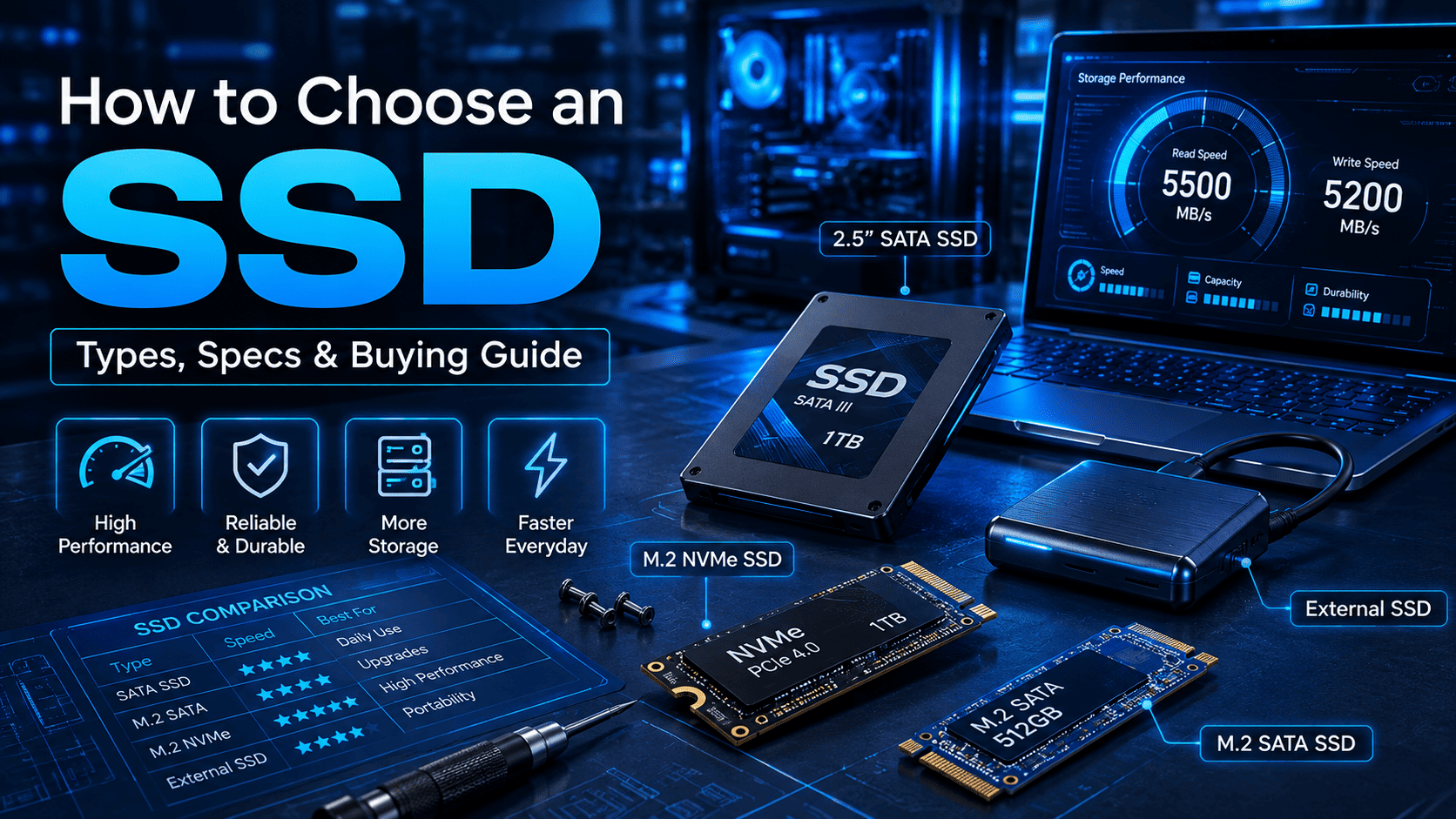

The demand for faster and more reliable storage solutions is increasing among businesses, gamers, professionals, educational institutions, and everyday computer users. Traditional hard disk drives can provide large storage capacities, but SSDs offer faster performance, quicker boot times, and improved system responsiveness.
A solid-state drive uses flash memory to store data without relying on moving mechanical components. SSDs are available in different types, interfaces, storage capacities, and performance levels, making it important to understand their specifications before making a purchase.
Why Choosing the Right SSD Matters
The right SSD can improve the overall performance and responsiveness of a computer system. Users should consider their workload, device compatibility, storage requirements, and performance expectations before selecting an SSD.
Key benefits of choosing the right SSD include:
- Faster system boot and application loading.
- Improved file transfer and data access speeds.
- Better overall system responsiveness.
- Efficient performance for professional and everyday workloads.
- Reliable storage for different computing environments.
Understanding SSD specifications helps users choose a storage solution that matches their specific requirements.
Understanding Different Types of SSDs
SSDs are available in different form factors and interfaces. Two commonly used options are SATA SSDs and NVMe SSDs.
SATA SSD
SATA SSDs use the SATA interface and are widely compatible with desktops, laptops, and other computing systems. They provide a significant performance improvement over traditional hard drives while offering broad compatibility.
A SATA SSD can be suitable for:
- Office computers.
- Everyday desktops and laptops.
- Business workstations.
- System upgrades from HDDs.
- General-purpose computing.
Businesses and technology partners looking to source SATA storage products can work with a reliable SATA SSD supplier for different capacity and application requirements.
NVMe SSD
NVMe SSDs use the PCIe interface and are designed to provide faster data transfer performance compared with traditional SATA-based storage. They are particularly suitable for demanding workloads that require high-speed storage.
NVMe SSDs can be useful for:
- Gaming systems.
- Professional workstations.
- Video editing systems.
- Data-intensive applications.
- High-performance computing environments.
For businesses looking for high-performance storage products, an experienced NVMe SSD supplier can provide suitable options based on system compatibility and workload requirements.
Important SSD Specifications to Consider
Before choosing an SSD, users should evaluate several specifications to ensure compatibility and performance.
Storage Capacity
SSD capacity determines how much data can be stored on the drive. Common capacities include 256GB, 512GB, 1TB, 2TB, and higher options.
Users should select the capacity based on their applications, files, games, software, and future storage requirements.
Read and Write Speed
Read speed determines how quickly data can be accessed, while write speed indicates how quickly information can be stored. Higher speeds can improve system responsiveness and reduce file transfer times.
Users should compare both read and write speeds instead of focusing on only one performance specification.
Form Factor
The physical size and design of an SSD must match the device in which it will be installed. Common options include 2.5-inch SATA drives and M.2 SSDs.
Checking the device's supported form factor before purchasing is essential for proper installation and compatibility.
Interface Compatibility
Users should verify whether their system supports SATA or NVMe technology. Selecting an SSD with an incompatible interface may prevent proper installation or limit expected performance.
Endurance and Reliability
SSD endurance indicates how much data can typically be written to the drive during its operating life. For business systems and professional workloads, users should consider endurance ratings and overall reliability when selecting storage.
SSD Buying Guide: Which SSD Should You Choose?
The best SSD depends on how the storage will be used.
For basic office work and everyday computing, a SATA SSD can provide a practical performance upgrade. For gaming, professional applications, and demanding workloads, an NVMe SSD can offer higher performance and faster data access.
Before purchasing, consider:
- Device compatibility.
- Required storage capacity.
- Read and write speeds.
- SSD form factor.
- Interface type.
- Endurance and reliability.
- Budget and intended workload.
Selecting an SSD based on these factors helps users avoid compatibility issues while achieving the desired storage performance.
Choosing a Reliable SSD Supplier
Businesses, system integrators, retailers, and technology distributors often require dependable storage products for different computing applications. A reliable SSD drive supplier can provide a range of storage solutions to meet varying performance and capacity requirements.
When evaluating a supplier, businesses should consider:
- Product quality and reliability.
- Availability of different SSD types.
- Storage capacity options.
- SATA and NVMe compatibility.
- Bulk supply capabilities.
- Consistent product availability.
A dependable supplier can help organizations source suitable storage products for desktops, laptops, workstations, gaming systems, and other computing environments.
Supporting SSD Requirements with Tiitan
Tiitan offers reliable SSD storage solutions for businesses, retailers, system integrators, and technology partners. Its range includes storage products designed for different computing requirements, including everyday systems, gaming PCs, professional workstations, and business applications. Whether you require SATA or NVMe storage, Tiitan provides SSD options with different capacities and performance specifications to meet varying storage needs.
FAQ
Q1: What is the difference between SATA SSD and NVMe SSD?
A: SATA SSDs use the SATA interface and offer broad compatibility, while NVMe SSDs use PCIe technology and generally provide higher data transfer performance.
Q2: How much SSD storage do I need?
A: The required capacity depends on usage. Everyday users may find 256GB or 512GB suitable, while gamers, professionals, and businesses may require 1TB, 2TB, or higher capacities.
Q3: Is NVMe SSD better than SATA SSD?
A: NVMe SSDs generally provide faster performance, but SATA SSDs can be a practical choice for systems that prioritize compatibility and everyday computing requirements.
Q4: What specifications should I check before buying an SSD?
A: Users should check storage capacity, read and write speeds, form factor, interface compatibility, endurance, reliability, and budget.
Q5: Can an SSD improve computer performance?
A: Yes. Replacing a traditional hard drive with an SSD can improve boot times, application loading, file access, and overall system responsiveness.
Q6: How do I choose an SSD supplier?
A: Businesses should consider product quality, storage options, SATA and NVMe availability, compatibility, bulk supply capabilities, and consistent product availability when choosing an SSD supplier.